

Best Bill Splitting Apps (2026) – Top Apps to Split Bills Easily
Splitting bills sounds simple - until someone pays for dinner, someone else books the Airbnb, another friend covers groceries, and nobody remembers who owes what.
That's where a bill splitting app comes in. Instead of relying on spreadsheets, calculator apps, or group chats, modern bill splitting apps automatically calculate balances, track payments, and make it easy to settle up fairly.
Whether you're splitting rent with roommates, sharing household expenses with your partner, or planning a trip with friends, the right app can save time - and friendships.
In this guide, we've compared the best bill splitting apps based on ease of use, flexibility, transparency, free features, and overall value. If you want the broader picture beyond bill splitting specifically, see our Best Expense Splitting Apps comparison.
Quick Comparison
| App | Best For | Free Version | Ads | Multi-Currency | Flexible Splits | Platforms |
|---|---|---|---|---|---|---|
| Squara | Overall | ✅ | ❌ | ✅ | ✅ | iOS, Android |
| Tricount | Travel | ✅ | Minimal | ✅ | ✅ | iOS, Android |
| Settle Up | Unequal bills | ✅ | Limited | ✅ | ✅ | iOS, Android |
| Splitwise | Existing users | ✅ | Limited | ✅ | ✅ | iOS, Android |
| Splid | Vacations | ✅ | ❌ | Limited | Basic | iOS, Android |
| Splitser | Everyday groups | ✅ | Limited | ✅ | Basic | Web, Mobile |
| GoodShare | Couples | ✅ | ❌ | Limited | ✅ | iOS, Android |
| Google Sheets | Custom tracking | ✅ | ❌ | Manual | Unlimited | Web |
How We Evaluated These Apps
To make this list useful, we evaluated each app using the same criteria:
- Ease of adding expenses
- Free features
- Flexibility when splitting bills
- Multi-currency support
- Transparency and activity history
- Cloud synchronization
- User experience
- Value for roommates, couples, and travel groups
Rather than focusing only on the number of features, we prioritized apps that make splitting bills simple and reliable.
1. Squara - Best Overall Bill Splitting App
Best for: Friends, roommates, couples, households, and travel groups.
Squara was designed around a simple idea: splitting bills shouldn't require spreadsheets, endless reminders, or arguments about who changed what.
Unlike many expense-sharing apps, Squara focuses on keeping everyone on the same page with clear balances, transparent editing, and a complete history of shared expenses. The free version includes unlimited expense tracking without advertisements, making it an excellent choice for groups that split expenses regularly.
Standout features:
- Unlimited expense entries
- No advertisements
- Equal, percentage, and custom splits
- Multi-currency insights
- Cloud sync
- Complete activity history
- Settlement confirmation
- Strict edit permissions
- Recurring expenses (Premium)
- CSV & PDF exports (Premium)
Pros:
- Unlimited free usage
- Clean interface
- Excellent transparency
- Flexible bill splitting
- Great for recurring household expenses
- Multi-currency support
Cons:
- No web or desktop app yet - mobile only
Perfect for: roommates, couples, friends, family households, and group vacations.
2. Tricount
Best for: International travel
Tricount makes it easy to track expenses during vacations and supports multiple currencies, making it especially useful for international trips.
Pros: great travel experience, multi-currency support, easy setup, simple balance calculations.
Cons: fewer accountability features, basic reporting.
3. Settle Up
Best for: Unequal bill splitting
Not every bill should be split equally. Settle Up handles percentage splits, exact amount splits, offline mode, and detailed exports. It's particularly useful for roommates and groups where everyone contributes different amounts.
4. Splitwise
Best for: Existing Splitwise users
Splitwise remains one of the best-known apps for splitting expenses. It supports group expenses, multiple currencies, payment integrations, and balance tracking.
If your friends already use Splitwise, staying within that ecosystem may be convenient. However, users looking for different free-plan experiences or collaboration features may prefer other options - see our Free Splitwise Alternatives guide for a deeper comparison.
5. Splid
Best for: Weekend trips
Splid is designed for simplicity. Create a trip, add expenses, and settle balances when you're done. Its minimal interface makes it easy for occasional users.
6. Splitser
Best for: Everyday bill splitting
Splitser offers a familiar experience with support for everyday shared expenses. It's particularly popular among users looking for a straightforward alternative.
7. GoodShare
Best for: Couples
GoodShare combines expense sharing with budgeting tools, making it useful for partners managing household finances together.
8. Google Sheets
Best for: Maximum flexibility
Google Sheets isn't a dedicated bill splitting app, but it remains one of the most customizable options available. Advantages include unlimited entries, complete ownership of your data, custom formulas, and being free forever. The downside is that you'll need to maintain calculations yourself.
Which Bill Splitting App Is Right for You?
Best for roommates: Squara, Settle Up. These apps make it easy to manage recurring expenses like rent, utilities, and groceries while keeping a clear history of every transaction.
Best for couples: Squara, GoodShare. Both apps support ongoing shared expenses and help couples avoid keeping mental tabs on who paid last.
Best for travel: Tricount, Squara, Splid. Multi-currency support and group expense tracking make these apps excellent companions for vacations.
Best free bill splitting app: If you're looking for a free app without advertisements and with unlimited expense tracking, Squara offers one of the most generous free experiences available.
Features to Look For
Not every bill splitting app is the same. Here are the features that matter most.
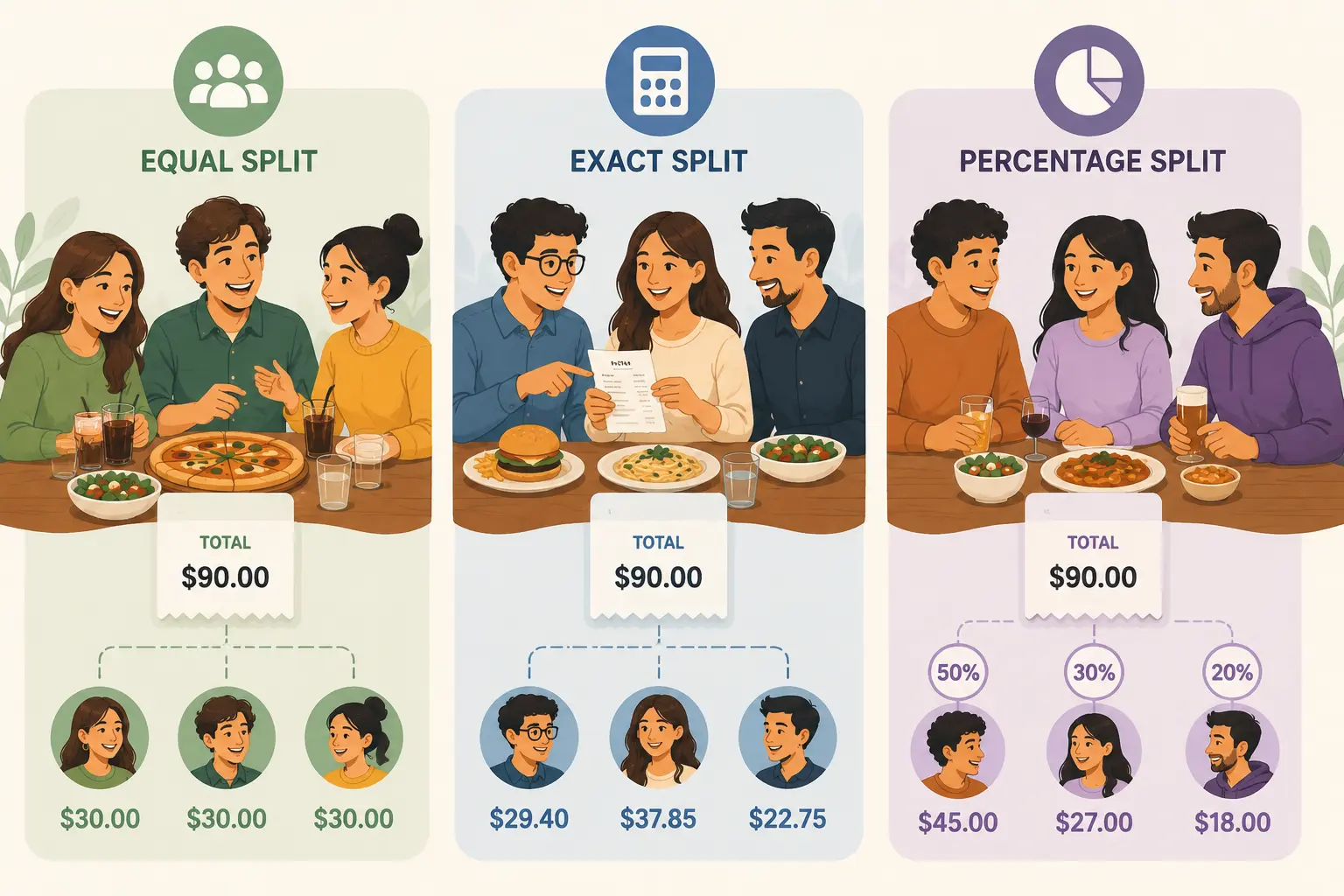
Flexible splitting - a good app should support equal splits, percentage splits, custom amounts, and uneven contributions.
Shared expense history - being able to see who added or edited an expense reduces confusion and helps everyone trust the balances.
Cloud synchronization - every group member should always see the same information, even after changing devices.
Multi-currency support - essential for international travel, digital nomads, exchange students, and cross-border groups.
Recurring bills - if you're living with roommates or sharing household expenses, recurring bills save significant time by automatically creating monthly expenses.
Final Verdict
The best bill splitting app depends on how you share expenses. If you're organizing a group trip, managing household bills, or splitting everyday costs with friends, choosing an app with flexible splitting options, transparent balances, and reliable synchronization makes life much easier.
For most users, Squara stands out thanks to its unlimited free expense tracking, no-ad experience, multi-currency support, and strong focus on accountability through activity history and settlement confirmations. At the same time, Tricount remains a great option for travelers, while Settle Up excels when bills need to be divided unevenly.
Whichever app you choose, the goal is the same: spend less time calculating who owes what and more time enjoying the moments you're sharing.
An app only solves half the problem, though - see How to Split Bills Fairly for the underlying methods that decide whether a split actually feels fair, or How to Split Group Expenses for the group-specific version of the same problem. If you're splitting bills specifically with roommates, see our Best Apps for Roommates roundup, or, if it's your partner, our Best Expense Apps for Couples roundup. For the broader landscape of expense tracking apps, see our Best Expense Tracking Apps guide.
Frequently asked questions
Continue reading
How to Split Bills Fairly (Without Arguments) →Related articles
Expense SharingMay 23, 2026 · Artyom
Best Expense Splitting Apps (2026) – Compare the Top Bill Splitter Apps
Discover the best expense splitting apps for roommates, couples, travel, and friends. Compare features, pricing, and find the right app for sharing expenses.
 Expense Sharing
May 27, 2026 · Artyom
How to Split Bills Fairly (Without Arguments)
Learn how to split bills fairly with roommates, friends, couples, and travel groups. Discover the best methods and apps to make shared expenses stress-free.
 Expense Sharing
May 29, 2026 · Artyom
How to Split Group Expenses Fairly (Without the Stress)
Learn how to split group expenses fairly with friends, roommates, and travel groups. Discover the best methods, common mistakes, and apps to simplify shared costs.
Squara is available on iOS and Android
Download it now, or leave your email for product updates.